AI-Guided Integration Design
Design, migrate, and verify Apache Camel integrations with AI coding agents
What is Camel-Kit?
A CLI tool that installs AI agent skills into your project. Instead of prompting an AI to "generate a Camel route" and hoping for the best, Camel-Kit guides the AI through a structured design process — interviewing you about requirements, capturing decisions in versionable specifications, and generating catalog-verified code that follows your team's rules.
 IBM Bob 2
--ai bob2 Claude Code
--ai claude OpenAI Codex CLI
--ai codex GitHub Copilot CLI
--ai copilot Google Antigravity
--ai antigravity Pi
Pi--ai pi Qwen Code
--ai qwen OpenCode
--ai opencode
Start from requirements, end with generated code and evidence
The AI walks you through business purpose, data formats, error handling, and performance needs — then generates catalog-verified Camel routes with quality gates and explicit runtime outcomes.
/camel-brainstorm$ camel-kit init my-project --ai claude
✓ Project scaffolded
✓ Skills installed
→ Run /camel-brainstorm to start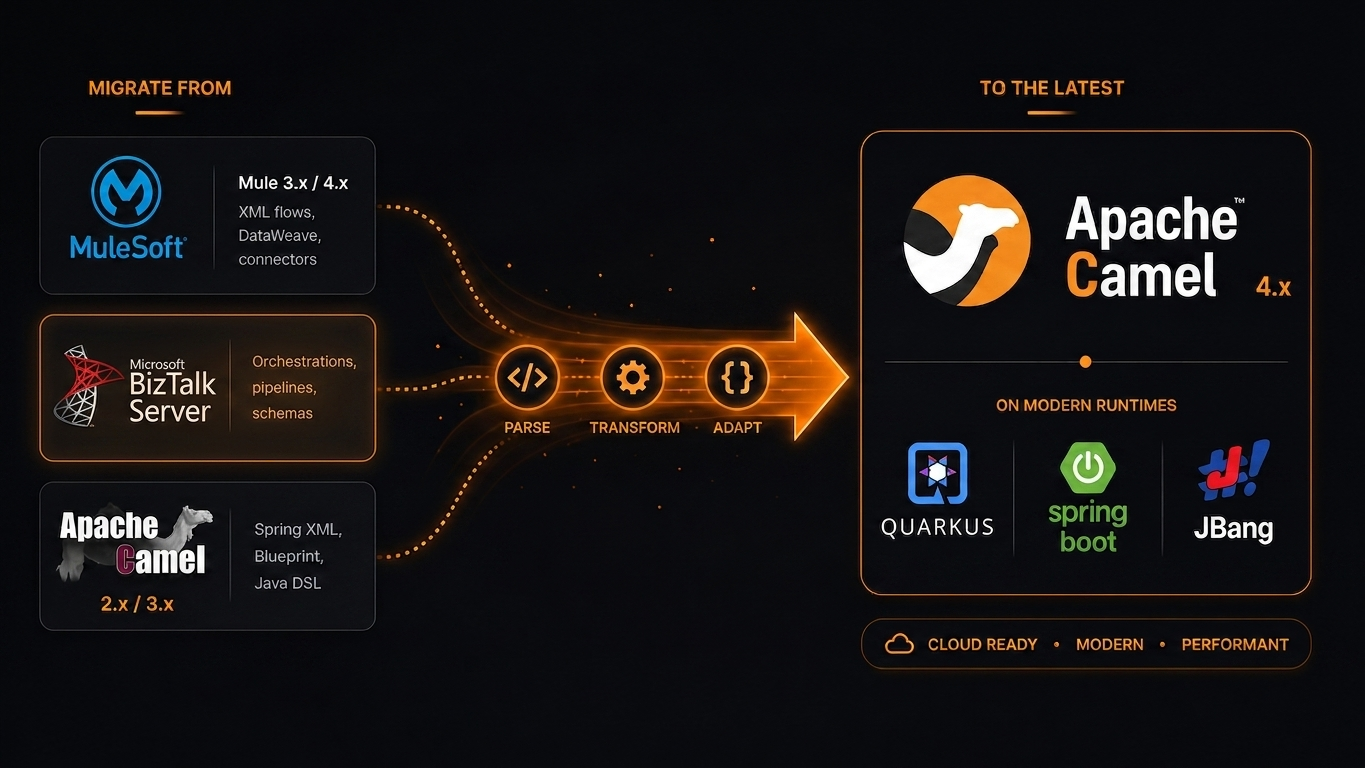
Migrate with Confidence
Camel-Kit builds a property graph of your existing project — parsing flows, connectors, dependencies, and configurations. The AI turns the complete analysis into one project-wide design, then executes its implementation plan in dependency waves.
/camel-migrate
Migration Guide →Four-Stage Pipeline
Design → Plan → Execute → Validate — one approval gate after design
Why Camel-Kit
AI-Guided Design
Slash commands guide integration design through structured interviews, producing versionable specifications.
Platform Migration
Auto-detect source platform, map components, convert from MuleSoft 3.x/4.x, BizTalk, or Camel 2.x/3.x.
MCP-Powered
Real-time MCP verification for Camel components and options, with infrastructure `forage.*` keys checked against validated, version-bound cached Forage catalog fields.
Multi-Target Support
Shared skills are adapted for IBM Bob 2, Claude Code, OpenAI Codex CLI, Google Antigravity, GitHub Copilot CLI, Pi, Qwen Code, and OpenCode.
Graph Intelligence
9 parsers + 2 post-processors build a DI-aware property graph — dependency injection tracking, interface-consumer expansion, structured migration context, and graph-covered structural retirement candidates.
Runtime Verification
Environment-in-the-loop: run applicable build, startup, and test checks; classify failures; retry bounded fixes; report skips or unresolved errors.
Get Started
# Camel Kit 0.4.1
jbang app install camel-kit@luigidemasi/camel-kit/camel-kit-0.4.1
camel-kit init my-project --ai claude
# Camel Kit 0.4.1: all commands and eight AI targets
camel plugin add kit \
--gav io.github.luigidemasi:camel-jbang-plugin-kit:0.4.1 \
--description "Design Apache Camel Integrations with AI"
camel kit init my-project --ai claude# Camel Kit 0.4.1
jbang camel-kit@luigidemasi/camel-kit/camel-kit-0.4.1 init my-project --ai claude